Verify Bangladesh Voter Registration Status Online
Voter roll confusion in Bangladesh tends to peak around election cycles, when millions of citizens suddenly need to confirm whether their name is on the list — and where.
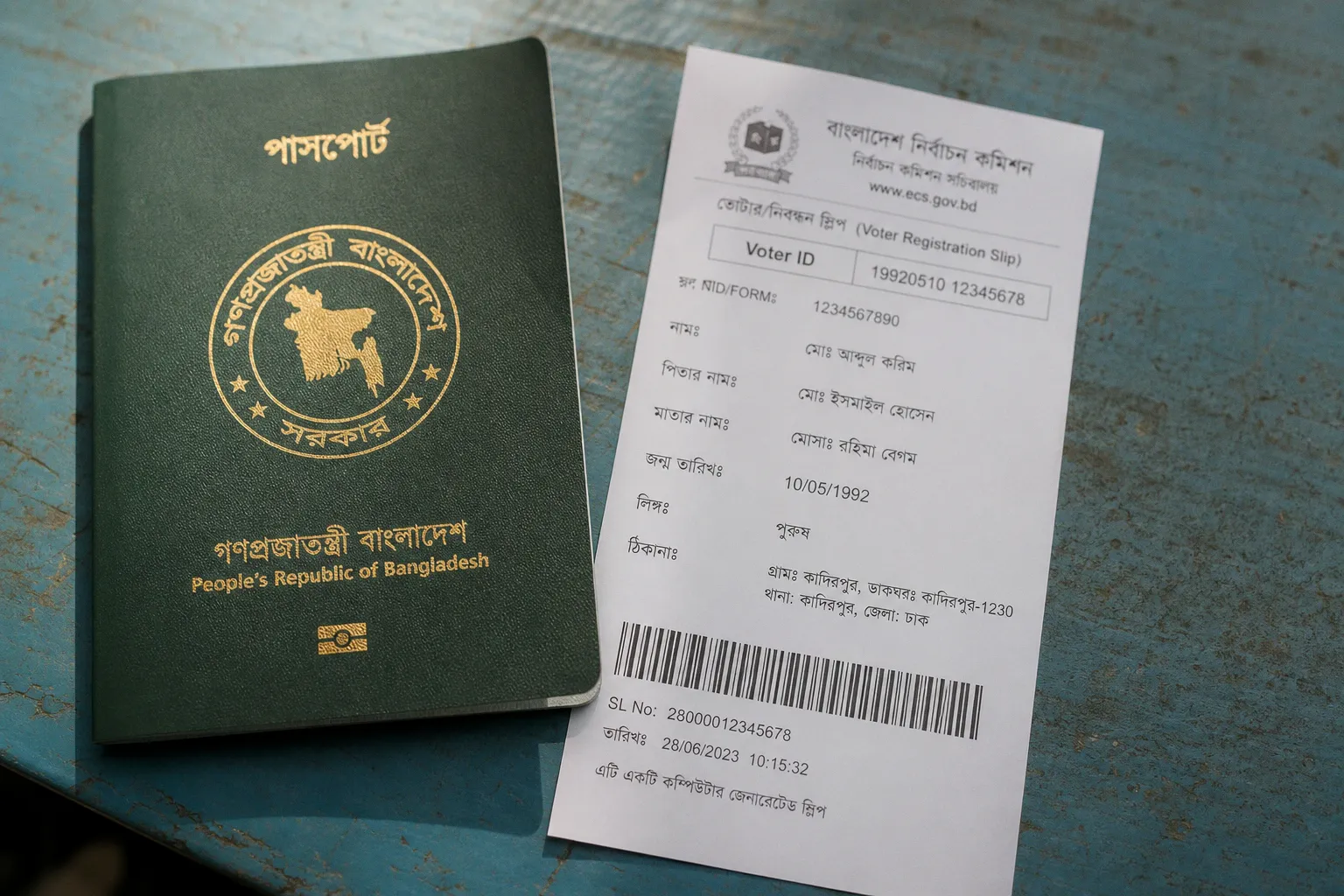
The portal that handles most of those lookups isn't run by a political party or a private vendor. It sits on government infrastructure: services.nidw.gov.bd, operated by the National Identity Registration Wing under the Bangladesh Election Commission. Knowing how to use it cleanly saves time, dodges unofficial lookalikes, and keeps personal data where it should be — on a domain the BEC actually controls.
Why the BEC runs the voter database the way it does
The National Identity Registration Wing was set up so that one body owns the definitive voter record. Before the NID system expanded, voter rolls were local, paper-heavy, and prone to duplicates and disputes. Centralising the database turned the National ID card into more than an identity document: today it's the single key that unlocks voter verification, passport applications, mobile SIM registration, and a growing list of public and private services.
That centralisation is why the same NID number you'd hand over at a bank, a mobile operator, or an immigration counter is the one you type into the voter lookup form. There's no separate voter ID to find, no separate database to query. If your NID is in the system, your voter record travels with it — same person, same registration, same set of digits.
The voter list isn't a parallel system — it lives inside the NID database, which is why one ten-, thirteen-, or seventeen-digit number works for both.
This design choice carries one practical consequence worth understanding: a successful voter lookup confirms the existence of an NID record, not the existence of a separate voter roll entry. The two are coupled at the source.
What you need before you open the portal
Three pieces of information, and nothing more:
- Your NID number. This is the ten-, thirteen-, or seventeen-digit number printed on your National ID card. Older cards commonly carry ten digits; current Smart NIDs run to seventeen. Most Bangladeshis who have held an NID for years have seen at least two of those formats over the lifetime of the card.
- Your date of birth, entered in the format the portal expects: YYYY-MM-DD. The field will not accept DD-MM-YYYY or any local variant.
- The captcha code shown on the page — a short string of letters and numbers meant to confirm a human is filling the form, not a script.
If you haven't received your physical NID card yet, the portal accepts an alternative: your voter registration form number. Anyone who registered at an upazila or union election office will have been handed a slip with that reference at the time of biometric enrolment, and it pulls the same record.
A quick reference for the field shape:
| Field | Format | Common mistake |
|---|---|---|
| NID Number | 10, 13, or 17 digits, no dashes or spaces | Adding spaces or hyphens between digits |
| Date of Birth | YYYY-MM-DD (e.g. 1990-05-12) | Entering in DD-MM-YYYY order |
| Captcha | As displayed, case-sensitive | Typing lowercase when shown uppercase |
| Form Number | As printed on the registration slip | Using the slip's serial instead of the registrant reference |
Keep this table somewhere accessible — most "Data Not Found" responses trace back to one of these four errors.
The verification process, step by step
Once the credentials are clear, the lookup itself takes under a minute. Here's the path that reliably reaches a result on services.nidw.gov.bd:
1. Open services.nidw.gov.bd in a browser. Type the URL directly rather than following a search-engine link — paid ads and SEO-optimised copycats have appeared during past election cycles, and a direct entry removes that risk.
2. Locate the voter information or voter status verification option on the homepage. The portal handles several NID-related services; the voter lookup is the one tied to the Election Commission's records.
3. Enter your NID number, or your voter registration form number if your physical card has not yet been issued.
4. Enter your date of birth in the YYYY-MM-DD format the field requires. Double-check the year is first.
5. Type the captcha exactly as shown. The field is case-sensitive.
6. Submit the form. The portal does not store the captcha across refreshes — if the page reloads, read the new one.
7. Read the result. A successful lookup returns the voter details associated with the NID, including the polling area and registration status. A failed lookup returns a generic "Data Not Found" message.
If the result comes back, the verification is essentially complete. There's no separate certificate to download; the screen itself is the proof. Screenshotting or saving the page is sensible for anyone who needs the details at a later stage.
The portal is read-only by design: it confirms what's already in the central database. It does not edit records, register new voters, or transfer polling centres. Any of those actions require an in-person visit to a local election office.
When the system returns 'Data Not Found'
This is the part that frustrates people, and there are a few common culprits — listed here in roughly the order they actually occur:
- Date format mistake. The field is YYYY-MM-DD. A user who types 12-05-1990 has, from the portal's perspective, entered the wrong date entirely. The system has no way of telling apart a deliberate format choice from a typo, so it returns "Data Not Found" rather than "wrong format." Re-enter with the year first, separated by hyphens.
- New registrations still propagating. If biometric enrolment was completed only recently, the online record can lag behind the enrolment record. The BEC does not publish a live processing window, and the central database reconciles new entries on its own schedule. A new voter may need to wait before their record appears.
- Number transposition. Easy to do on a seventeen-digit NID, especially when copying from an older ten-digit card. Re-check the digits against the physical card or registration slip before assuming the record is missing.
- Multiple NID variants on file. Some users have more than one NID associated with their record because the system was migrated over time. Trying each known variant — ten-digit, thirteen-digit, seventeen-digit — sometimes resolves the issue.
- The form number was confused with the slip serial. The voter registration form has a specific registrant reference; the slip may also carry a serial number printed elsewhere on the same document. Only the registrant reference resolves in the database.
If the portal returns nothing after three corrected attempts, the record hasn't disappeared — it just isn't in the central database yet, or it's keyed to a different NID variant than the one being typed.
If none of these fit, the next step is the local election office. Biometric capture, photographs, and signature collection can only be done in person; the online portal confirms what's already in the central record but cannot generate a new entry. Walking in with the registration slip, a printout of the failed lookup, and a previous NID (if one exists) tends to move the in-person process along faster.
The BEC does not run a dedicated phone or chat helpline for technical lookup errors — a gap worth acknowledging because it pushes users toward unofficial channels, which is exactly the problem the next section addresses.
Security protocols and why unofficial platforms aren't the answer
Every election season, lookalike portals surface on social media. They look official, ask for an NID number and a captcha, and quietly collect the data they're fed. Some promise faster lookup; others ask for a small "verification fee" payable to a mobile wallet. None of them are connected to the Bangladesh Election Commission. The domains the BEC actually uses end in .gov.bd — that's the only durable signal of legitimacy, because that domain suffix can only be registered through the government's own allocation process.
The same caution now applies broadly to citizen-facing identity tools. As digital banking and fintech platforms have multiplied across Bangladesh, the habit of double-checking a URL before keying in personal details has become genuinely useful — not just for voting, but for any service that asks for an NID. Resources such as Fuzo Money walk through the same verification logic from the fintech side, where a domain check and a search for a regulator-issued licence are the two filters that separate a real banking app from a phishing replica. The pattern carries over directly to voter lookup: confirm the operator, confirm the domain, then enter the number.
A few habits worth keeping in place:
- Bookmark services.nidw.gov.bd rather than searching for it. Search results around election cycles are routinely gamed by paid ads and SEO copycats that sit one click above the official link.
- Don't enter an NID on a site that asks for it via a Facebook page, a Telegram channel, or a forwarded WhatsApp message, no matter how official the page appears.
- Never pay a fee for voter verification. The service is free on the official portal, and any request for payment — to a bKash number, a Nagad number, or a bank account — is a phishing signal, not a service charge.
- Treat the portal as read-only. It confirms what's already in the record. Any portal that promises to "update your voter information" or "transfer your polling centre" through the same form is not the BEC.
- Don't reuse passwords. The BEC portal does not ask for one — anything that asks for a password, PIN, or OTP is a fake.
- Verify the lock icon and certificate. A genuine
.gov.bdsite carries a TLS certificate tied to the Bangladesh government's PKI. Browsers will show a padlock; absence of one is a warning, not a minor detail.
The phishing playbook around election-time lookups is consistent: replicate the form, harvest NIDs en masse, sell the dataset or use it for SIM fraud downstream. Defending against it doesn't require technical sophistication — only the discipline of staying on the one domain the BEC actually operates.
What the verification tool does, and what it doesn't
The lookup service is a narrow tool, and that's deliberate. It answers one question: does the NID number I'm typing match a record in the central database, and what's attached to that record? It does not answer where to vote in the immediate future, whether a by-election is scheduled at a particular constituency, or whether a recent address change has been processed. Those are separate election administration functions handled by the local returning officer and, when published, by gazette notices.
This narrowness has a side benefit: a small surface area is easier to secure. The portal has no user accounts, stores no query history beyond standard server logs, and does not require a login. There is nothing to breach in the way consumers usually mean the word. The risk sits on the user side — in the form of confused entries landing on lookalike sites — rather than on the BEC side.
For citizens, the practical effect of the architecture is that voter registration verification now happens in under a minute, assuming the credentials are correct and the record has cleared synchronisation. For the Election Commission, the same architecture delivers a national voter roll that can be queried without newspaper gazettes or door-to-door enumeration — a quiet but genuine upgrade to how the country's electoral machinery runs between polls.
The friction points that remain — processing delays for new registrations, unclear support contacts when the portal returns "Data Not Found," the absence of a live status feed — are real, and they're worth flagging as gaps the BEC has yet to close. They are not, however, signs that the portal itself is failing. What would actually break voter verification at scale is citizens drifting toward unofficial lookalikes because the official one felt slow or opaque. Knowing how the system is meant to work, and what to expect when it doesn't, is the simplest guard against that drift — and it's a guard every voter can carry in their head, no app required.